


I shipped a Figma plugin last week. It's live on the Figma Community. People are using it.
I didn't write the code.
I'm a product designer. I don't even write my commits. I don't scaffold React components. I definitely don't set up monorepos with shared component libraries.
Except apparently I do now.
There's a wall between thinking and doing. Most people get stuck there. They plan, research, wait for the perfect moment. The gap isn't technical capability. It's crossing that line.
You don't need the perfect use case. You just need to start. Build something small. Ship something real. That puts you ahead of everyone still waiting.
That little spark
A month back, I built a Claude skill called figma-variables-generator. You feed it text, images, URLs, anything. And it generates the JSON Figma needs to create design system variables. Complex collections, proper structure, all the metadata.
I used it to build my entire design system. 246 variables. Color tokens, spacing scales, typography, the works. Worked perfectly.
It even handles code syntax.
Code syntax is what lets developers reference your design tokens in their codebase. You need to specify platform (WEB, iOS, Android) and naming convention (camelCase, snake_case, whatever your team uses). It displays the proper variable naming on generated code on Figma dev mode, and superpowers the MCP giving AI the ability to find your design tokens on the codebase.
For 246 variables, adding code syntax manually would take a long time.
So I tried the obvious workaround: export my variables to JSON, run the skill to add code syntax, import back into Figma.
It broke everything.
Variables got duplicated. References broke. I had to rollback to the exported file.
I patched the skill. Ran it again. It worked, but the workflow was still fragile. Export variables, feed to Claude, parse the output, validate the JSON structure, import back, hope nothing breaks. Takes minutes. High risk. Doesn't scale.
Also, 246 variables is not that much really, and the JSON can get really big. I have a friend that works with a white label design system, around +400 variables, +20 modes and increasing. For Claude is not even possible to handle that file at once.
I was using the wrong tool.
The skill is perfect for generating variables from raw input. But for modifying existing variables in bulk? That needs to happen inside Figma. No export, no import, no risk.
I needed a plugin.
Can Claude build a plugin?
Yes. Devs at my job build way more complex stuff with it daily. The question was whether I could manage that orchestration without being the one who knows how to implement it.
So I gave myself a deliberately overengineered challenge.
Build a proper monorepo with a shared UI component library. Not because a plugin needs that architecture, but because I wanted to see if I could direct Claude through real complexity.
This was a total overkill.
But, not for testing whether I can make architectural decisions, feed proper documentation, debug in unfamiliar environments, and iterate until it ships. Perfect.
What does it take?
Hour 0:00 - Research phase
I didn't ask Claude to "build me a Figma plugin." I read Figma's plugin documentation first. Skimmed the quickstart guide.
Then I fed Claude the relevant docs and said: "Here's what we're building. Here's the architecture I want. Start with the monorepo structure."
Claude understood the dual-process model (plugin code runs in sandbox, UI runs in iframe). Figured out which API methods I'd need.
Hour 0:15 - Plugin logic
The actual plugin code took maybe 10 to 15 minutes. It processes variable collections, handles normalizing naming conventions and prefixes for Web, iOS and Android.
Hour 0:25 - Scaffolding
"Hey Claude, would it be too hard to create a monorepo so plugins consume the same design system?". I'm building the same infrastructure at a bigger scale at my work. Took it as a learning opportunity.
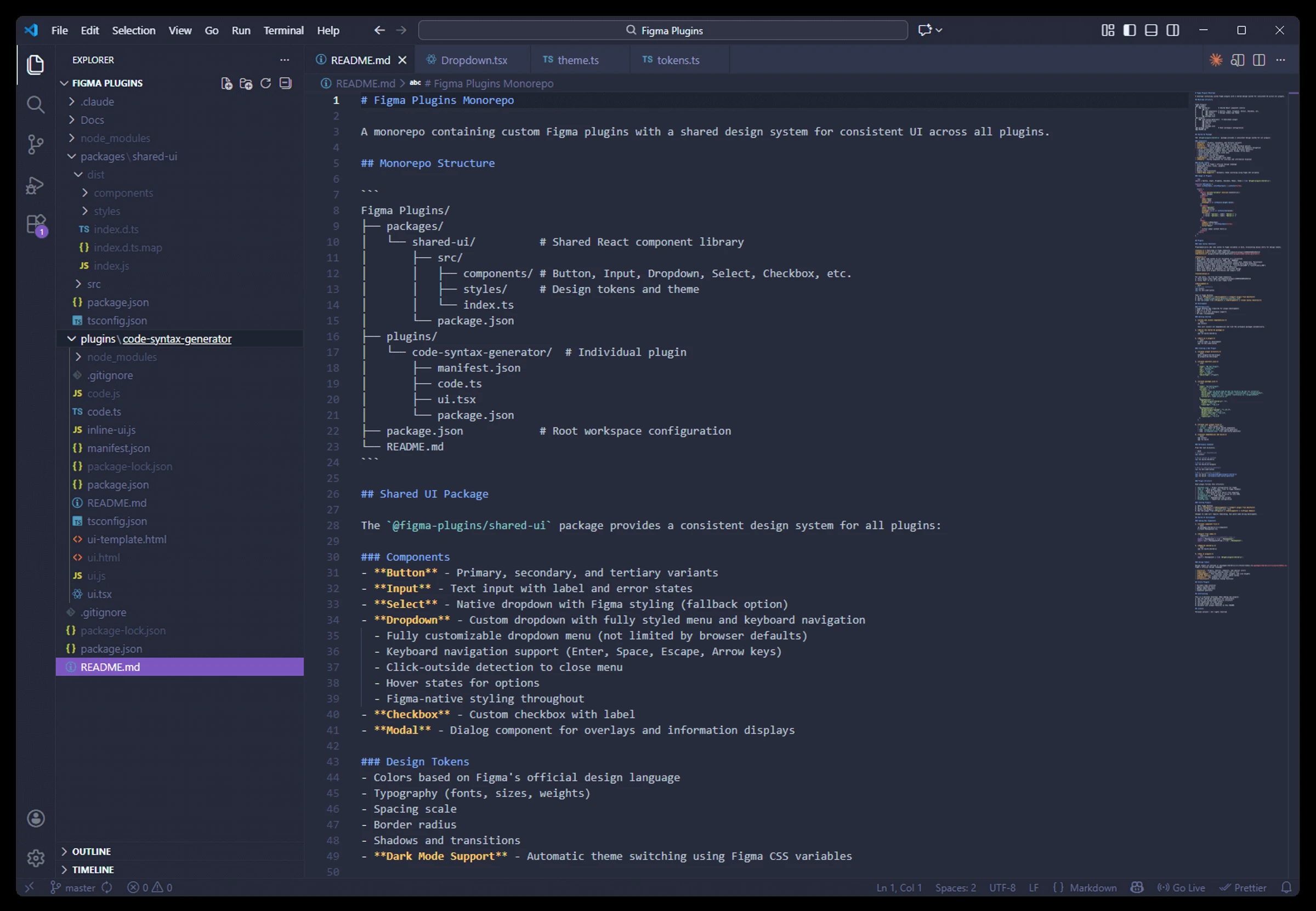
Claude generated the workspace setup. Root package.json with npm workspaces. A packages/shared-ui directory for the component library. A plugins/code-syntax-generator directory for the actual plugin.
I didn't verify the code line by line. I ran it. Checked if workspace linking worked. It did.
Hour 0:30 - Shared components
It's great that Figma's design tokens are available in the documentation and provide links to some old repos.
Claude scaffolded the components. Generated Button, Input, Dropdown, Checkbox, Modal. Support for dark mode through CSS variables. I tested them by importing into the plugin UI. Described what was broken. Claude fixed it.
You don't need to write the fix. You need to recognize what's broken and communicate it clearly.
Hour 0:50 - Debugging
The development environment is inside Figma desktop app, debugging is kinda hard. You can't inspect elements directly, the iframe is hidden under lots of code.
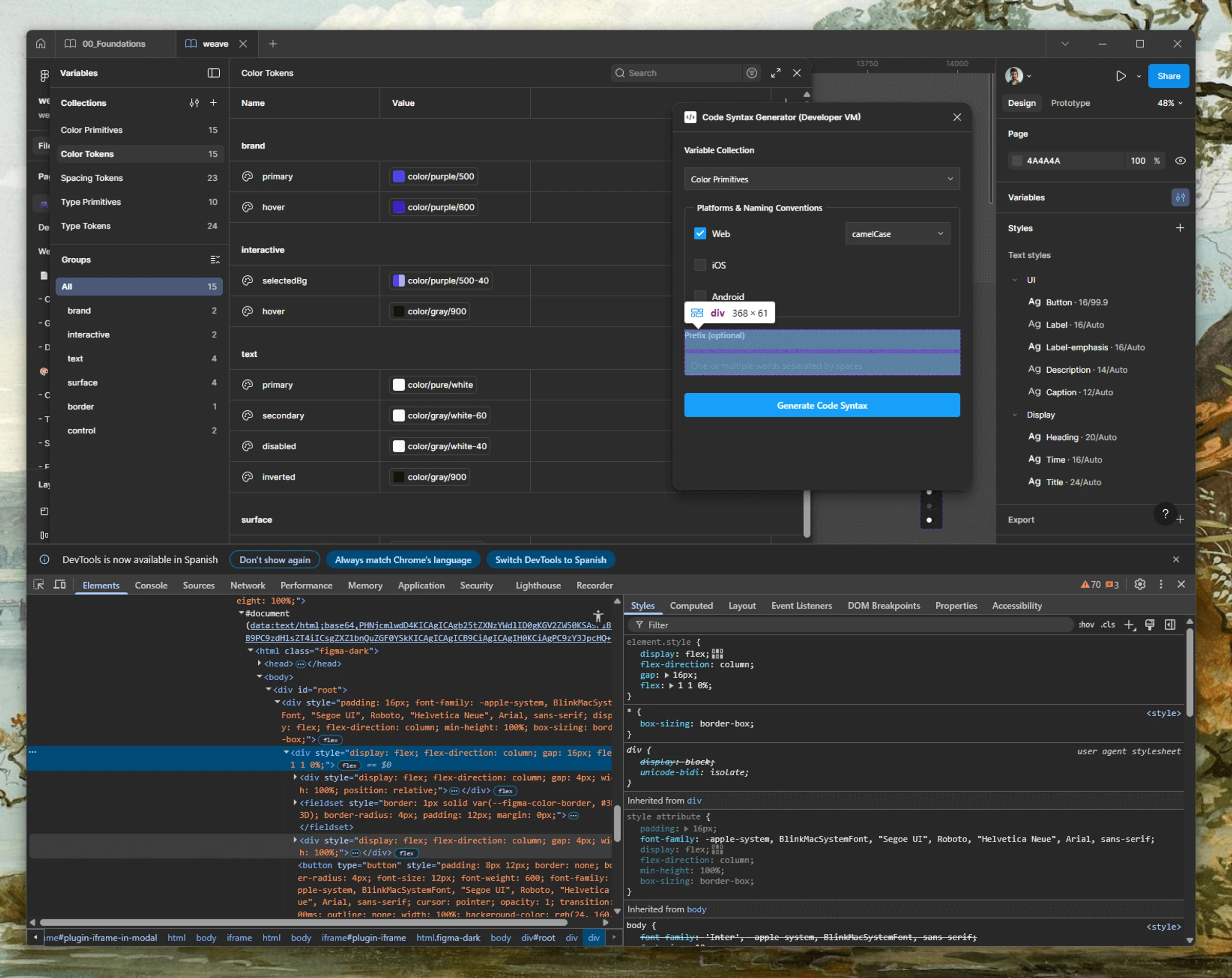
It was way hard, but not impossible. Testing the plugin directly in a Figma file is great though, so issues in logic were easy to identify and fix.
Hour 1:00 - Working MVP ready
MVP was ready, plugin works as intended. I actually took a couple hours later polishing my components to match Figma UI as close as possible. Created an about modal with social links and a buy me a coffee button :wink:.
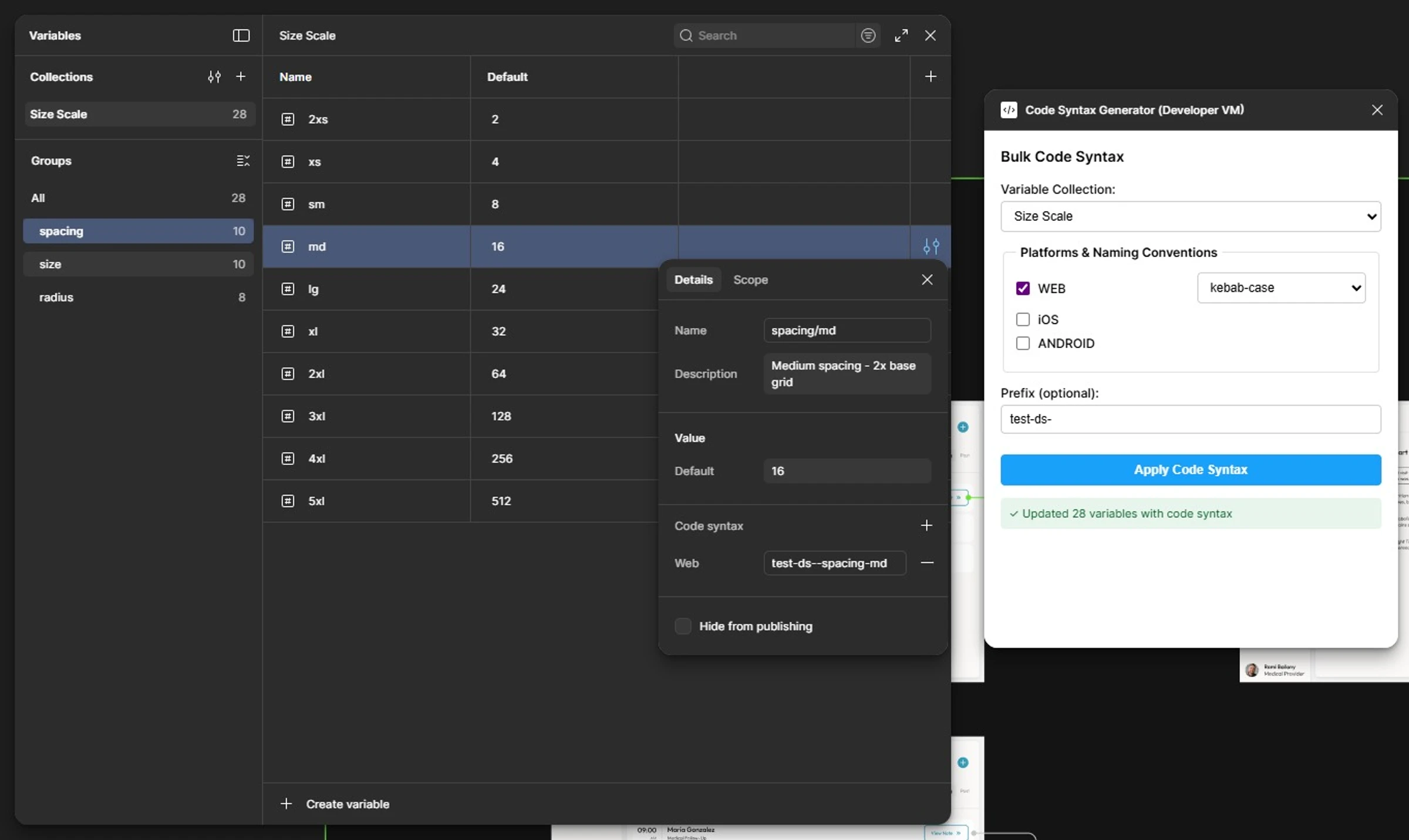
Then created a few images and submitted through the Figma desktop app. A day later I received an email from James of Figma:
"Resource works as described, great job!"
Perfect, my plugin was approved and published on Figma community.
A mindset shift
Six months ago, I would've just hoped to find something that does this.
Now I just build it myself. Not because I learned React and TypeScript. Because I learned how to research, orchestrate, test, and iterate with AI as my development partner.
The monorepo was overkill. I could've shipped faster with a single directory and inline styles.
But the point wasn't efficiency. The point was proving I could handle real complexity without having the "right" skills.
Turns out you don't need to be a developer to ship software.
You just need to know how to work with one.
Learn More
The plugin: Code Syntax Generator on Figma Community
Demo: Watch how it works on Linkedin
The architecture: Monorepo with shared UI package, TypeScript, React, proper build scripts, dark mode support, keyboard navigation. All the stuff a production tool should have.
The code I wrote: None.